基于 swoole 通过 websocket 简单实现直播效果。(主要学习一下 websocket 相关知识点)
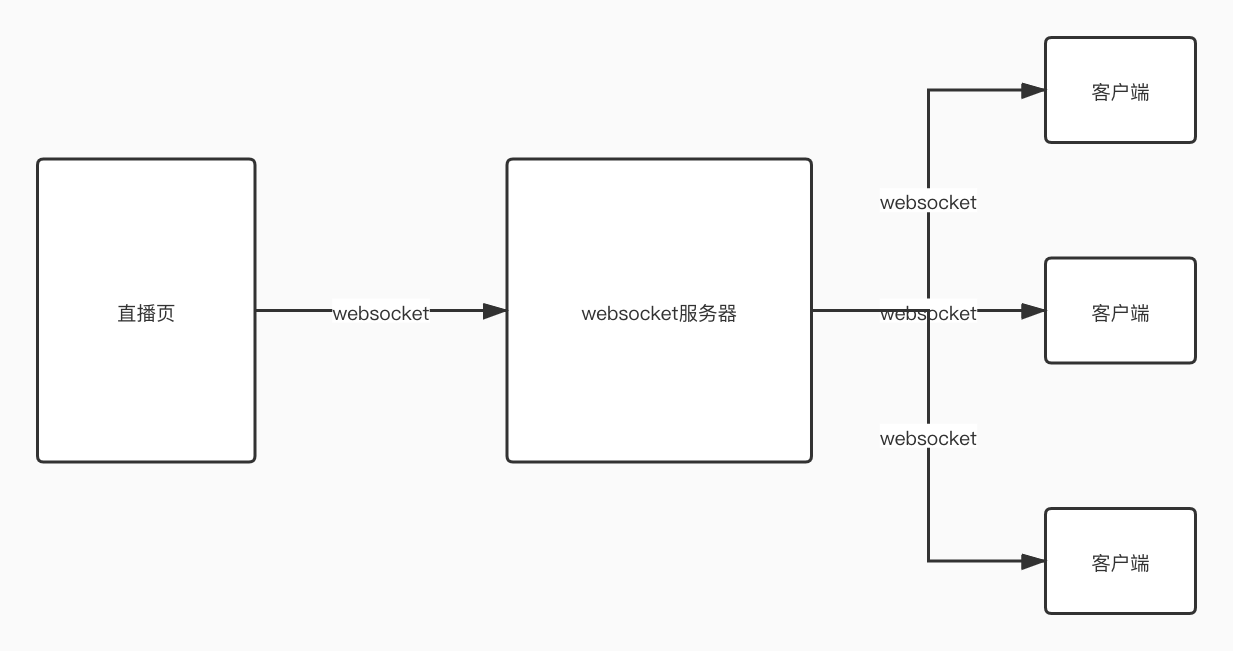
流程
- 在直播页使用视频的方式模拟摄像头
- 利用 canvas 绘制视频内容
- 通过 canvas 将绘制的图片转化为 base64 格式
- 使用 settimeout 定时执行,通过 websocket 将 base64 格式图片传递到服务端
- 服务端接收到数据之后,通过广播的形式进行推送
- 客户端页面通过 websocket 接收服务端发来的数据在页面上循环展示
- 完成
直播页
1
2
3
4
5
6
7
8
9
10
11
12
13
14
15
16
17
18
19
20
21
22
23
24
25
26
27
28
29
30
31
| <!DOCTYPE html>
<html lang="en">
<head>
<meta charset="UTF-8">
<title>Title</title>
</head>
<body>
<video src="xszr.mp4" id="video" width="400" height="400" autoplay="true" controls="true"></video>
<canvas id="canvas" width="1280" height="720" hidden></canvas>
<script>
ws = new WebSocket("ws://test.test/ws");
var video = document.getElementById('video');
var canvas = document.getElementById('canvas');
var context = canvas.getContext('2d');
function draw() {
context.drawImage(video,0,0);
ws.send(canvas.toDataURL('image/jpeg',0.4));
setTimeout(draw,80);
}
ws.onopen = function (event) {
draw();
}
</script>
</body>
</html>
|
websocket 服务端
1
2
3
4
5
6
7
8
9
10
11
12
13
14
15
16
17
18
19
| $ws = new swoole_websocket_server('0.0.0.0',9527);
$ws->on('message', function ($ws, $frame) {
var_dump($ws->connections);
foreach ($ws->connections as $fd){
$ws->push($fd,$frame->data);
}
});
$ws->on('close', function ($ws, $fd) {
echo "client-{$fd} is closed\n";
});
$ws->start();
|
客户端
1
2
3
4
5
6
7
8
9
10
11
12
13
14
15
16
17
18
19
20
21
22
23
| <!DOCTYPE html>
<html lang="en">
<head>
<meta charset="UTF-8">
<title>Title</title>
</head>
<body>
<img id="img" width="1280" height="720" />
<script>
ws = new WebSocket("ws://test.test/ws");
img = document.getElementById('img');
ws.onmessage = function (event) {
img.src = event.data
}
</script>
</body>
</html>
|
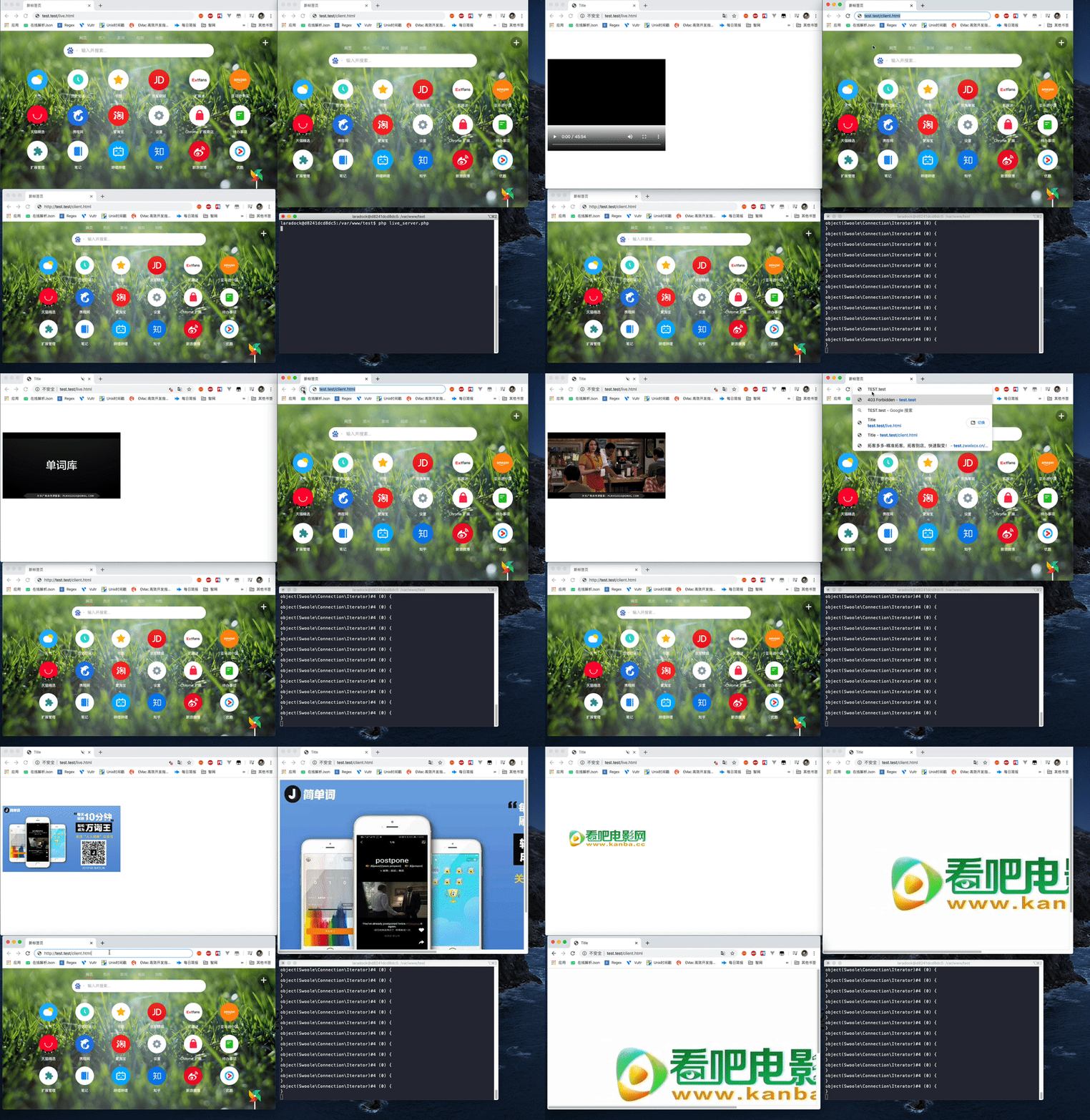
最终效果
nginx 配置
1
2
3
4
5
6
7
8
9
10
11
12
13
14
15
16
17
18
19
20
21
22
23
24
25
26
27
28
29
30
| upstream test {
server workspace:9527 weight=5 max_fails=3 fail_timeout=30s;
keepalive 16;
}
server {
listen 80;
server_name test.test;
root /var/www/test;
index index.php index.html index.htm;
location =/ws {
proxy_http_version 1.1;
proxy_set_header X-Real-IP $remote_addr;
proxy_set_header X-Real-PORT $remote_port;
proxy_set_header X-Forwarded-For $proxy_add_x_forwarded_for;
proxy_set_header Host $http_host;
proxy_set_header Scheme $scheme;
proxy_set_header Server-Protocol $server_protocol;
proxy_set_header Server-Name $server_name;
proxy_set_header Server-Addr $server_addr;
proxy_set_header Server-Port $server_port;
proxy_set_header Upgrade $http_upgrade;
proxy_set_header Connection $connection_upgrade;
proxy_pass http://test;
}
}
|