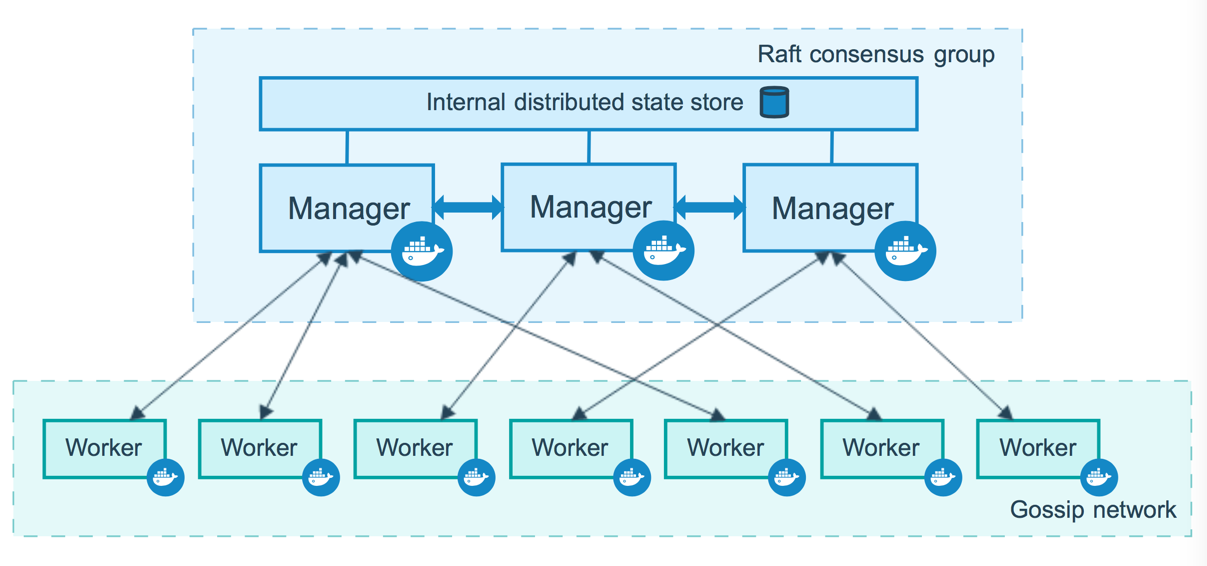
// 初始化 swarm 集群,并指定管理节点 ip 地址 docker@manager:~$ docker swarm init --advertise-addr 192.168.99.100 Swarm initialized: current node (dxn1zf6l61qsb1josjja83ngz) is now a manager.
To add a worker to this swarm, run the following command:
ID HOSTNAME STATUS AVAILABILITY MANAGER STATUS ENGINE VERSION jnn6cji3hy22ninkymqxer49q * manager Ready Active Leader 19.03.12 r5sce06gn9351jvotf6xp1r53 worker1 Ready Active 19.03.12 ssdfsdfs2df32dfk34dc3498 worker1 Ready Active 19.03.12
wo27l49vowb7reote7apzqn8d overall progress: 1 out of 1 tasks 1/1: running [==================================================>] verify: Service converged
–preplicas 1 指定副本个数为 1 个(即在集群中启动一个容器运行)
–name 指定服务名称为 helloworld
busybox 指定镜像为 busybox
ping baidu.com 指定运行的命令
查看当前运行的服务
1 2 3
$ docker service ls ID NAME MODE REPLICAS IMAGE PORTS wo27l49vowb7 helloworld replicated 1/1 busybox:latesttcp
docker@manager:~$ docker service ps helloworld ID NAME IMAGE NODE DESIRED STATE CURRENT STATE ERROR PORTS re3rdqvnsoa3 helloworld.1 busybox:latest worker1 Running Running 11 minutes ago
helloworld scaled to 5 overall progress: 5 out of 5 tasks 1/5: running [==================================================>] 2/5: running [==================================================>] 3/5: running [==================================================>] 4/5: running [==================================================>] 5/5: running [==================================================>] verify: Service converged
$ docker service ps helloworld
ID NAME IMAGE NODE DESIRED STATE CURRENT STATE ERROR PORTS re3rdqvnsoa3 helloworld.1 busybox:latest worker1 Running Running about an hour ago 4tjmgtulmkx0 helloworld.2 busybox:latest worker2 Running Running 38 minutes ago zl3u08rsrm72 helloworld.3 busybox:latest manager Running Running 38 minutes ago am36krqw6o97 helloworld.4 busybox:latest manager Running Running 39 minutes ago tsbhagfz6fx6 helloworld.5 busybox:latest worker1 Running Running 39 minutes ago
我们可以看到新增加了 4 个任务分布在manager、worker1、worker2 上。
ssh 到各个主机执行 docker ps 查看主机运行容器的状态
删除集群中的服务
必须在管理节点操作
1 2 3 4 5
$ docker service rm helloworld helloworld
docker@manager:~$ docker service ls ID NAME MODE REPLICAS IMAGE PORTS
// 查看当前服务运行状态(每个节点运行一个任务) $ docker service ps redis
ID NAME IMAGE NODE DESIRED STATE CURRENT STATE ERROR PORTS ffhwf4i243yc redis.1 redis:3.0.6 worker2 Running Running 35 seconds ago sflv38rtetvh redis.2 redis:3.0.6 manager Running Running 35 seconds ago kzn7cn15rrye redis.3 redis:3.0.6 worker1 Running Running 35 seconds ago
// 查看当前服务运行状态(注意 worker1 节点服务的状态已经为关闭,worker2 节点上又多了一个任务) $ docker service ps redis
ID NAME IMAGE NODE DESIRED STATE CURRENT STATE ERROR PORTS ffhwf4i243yc redis.1 redis:3.0.6 worker2 Running Running about a minute ago sflv38rtetvh redis.2 redis:3.0.6 manager Running Running about a minute ago ir0nvesyhrea redis.3 redis:3.0.6 worker2 Running Running less than a second ago kzn7cn15rrye \_ redis.3 redis:3.0.6 worker1 Shutdown Shutdown less than a second ago
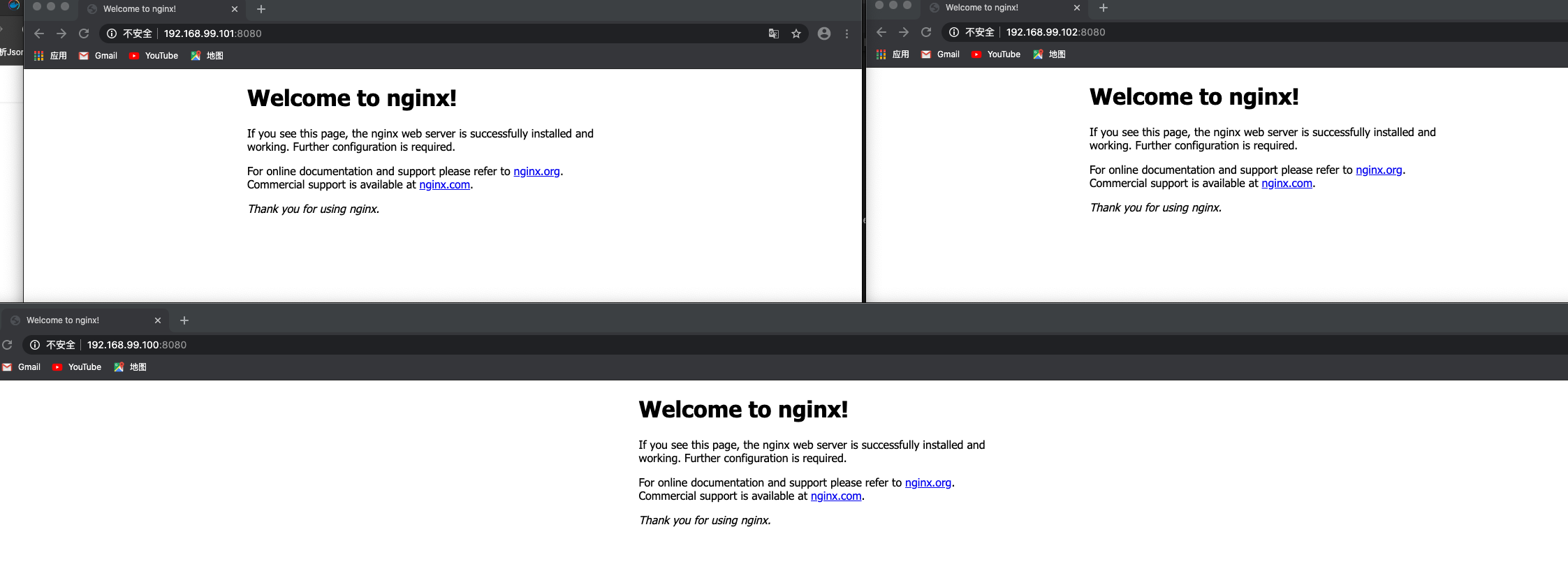
$ docker service create --name web --publish published=8080,target=80 --replicas 2 nginx
// 查看服务当前运行在哪个节点上 $ docker service ps web
ID NAME IMAGE NODE DESIRED STATE CURRENT STATE ERROR PORTS kuocqhmt4rl7 web.1 nginx:latest worker1 Running Running 40 seconds ago s3ybcckxdrnb web.2 nginx:latest manager Running Running 40 seconds ago
// 查看当前所有节点 $ docker node ls
ID HOSTNAME STATUS AVAILABILITY MANAGER STATUS ENGINE VERSION 3px1nw94x2wmnr0k7846hpksh * manager Ready Active Leader 19.03.12 ibhxsuf055peywhawgp7hslav worker1 Ready Active 19.03.12 ny1e3wd4l7enyh0pp547azefe worker2 Ready Active 19.03.12
$ docker service ps redis ID NAME IMAGE NODE DESIRED STATE CURRENT STATE ERROR PORTS bp0ylcmxw6ll redis.1 redis:alpine worker1 RunningRunning about a minute ago
// 获取 worker1 容器运行的 redis 服务 $ docker ps CONTAINER ID IMAGE COMMAND CREATED STATUS PORTS NAMES aa049d4173e1 redis:alpine "docker-entrypoint.s…" 8 minutes ago Up 8 minutes 6379/tcp redis.1.bp0ylcmxw6llv9icvhgrk189f
// 进入 redis 容器 $ docker exec -it redis.1.bp0ylcmxw6llv9icvhgrk189f sh
//在容器中查看 secret # cat /run/secrets/my_secret_data This is a secret
使用中的 secret 无法删除
1 2 3 4 5 6
// 进入 manager 节点 $ docker-machine ssh manager
$ docker secret rm my_secret_data Error response from daemon: rpc error: code = InvalidArgument desc = secret 'my_secret_data' is in use by the following service: redis docker@manager:~$
通过更新的方式删除 secret
1 2 3 4 5
$ docker service update --secret-rm my_secret_data redis redis overall progress: 1 out of 1 tasks 1/1: running [==================================================>] verify: Service converged
删除服务和 secret
1 2 3
$ docker service rm redis
$ docker secret rm my_secret_data
在 Swarm 集群中管理非敏感数据(配置)
使用方式与 secret 相似
docker 17.06引入了swarm service configs。允许你在服务映像或运行容器之外存储非敏感信息
注意:config 仅能在 Swarm 集群中使用。
创建 config
1
2
3
4
5
6
7
8
9
10
// 创建一个名为 redis.conf 的文件,内容为 port:6380 $ cat redis.conf port 6380
$ docker config rm redis.conf Error response from daemon: rpc error: code = InvalidArgument desc = config 'redis.conf' is in use by the following service: redis
通过更新的方式删除 config
1 2 3 4
docker service update --config-rm redis.conf redis